


Pixel Coloring-Color by number
4.4340.00 Reviews
App Specs
- Version
- 1.42.31
- Updated On
- License
- Free
- Downloads
- 1,000,000+
- Developer
- Coloring Game Studio@RabiGame
- Categories
- Board
- Platform
- Android, iOS
Screenshots




 Analysis by AppCompare
For a quick break that gives my hands something to do while my mind slows down, Pixel Coloring-Color by Number has a clear appeal: it turns tiny, numbered squares into a low-pressure coloring activity. I like that the basic idea is easy to grasp, but it is best approached as a casual pastime rather than a deep art tool or a traditional board game. If you enjoy steady, simple progress more than making freehand designs, it may be a good fit.
A small task that suits short breaks
The game’s format works especially well when I have a few spare minutes and do not want to start something that demands a long stretch of attention. I can open a picture, fill a patch of its numbered cells, and stop when I need to get back to what I was doing. That makes it easier to fit around a quiet coffee break or a pause between chores than a game built around lengthy rounds or a complicated story.
There is also a useful distinction between relaxing and being completely passive. Matching numbers to colors gives the activity a modest focus, which can help keep my attention away from a busy day without asking me to plan much. It will not suit everyone seeking a calming activity: if tapping many small spaces starts to feel repetitive, the very feature that makes it easy to pick up can become monotonous.
How its coloring compares with other options
Compared with a paper coloring book, this is more convenient to carry and does not require pencils, a clean surface, or a place to store finished pages. In return, the experience is tied to a screen and to the numbered pattern the game provides. It is not a substitute for sketching or choosing every color yourself. People who want full creative control may be happier with a drawing app, while those who enjoy a hands-on activity may prefer paper and colored pencils.
It also differs from board games that ask players to compete, make tactical choices, or take turns. Here the appeal is individual progress: the picture becomes clearer as you work, but the coloring itself is the main event. I would choose it for a quiet moment, not for a lively group game night. That distinction helps set expectations before downloading.
Practical ways to make a session feel smoother
When a picture looks dense, I find it helpful to work one visible area at a time rather than trying to chase every matching number across the whole image. A small, deliberate patch is easier to finish and makes progress feel tangible. If I am interrupted, I can simply leave the activity and return when I have another moment, rather than treating each session like a task that must be completed in one sitting.
Another sensible approach is to choose an image to match the time available. A simpler-looking design is a better pick for a brief pause; a more detailed one makes more sense when I can settle in. The game’s forgiving number-matching approach also means it is approachable for beginners, though it does not turn the process into free-form art. That is a trade-off, not a flaw, as long as the goal is an easy activity rather than a blank canvas.
Worth Reading Before You Choose

EA SPORTS FC Mobile 26 Is a Bigger Football Game, but It Takes Time

Flipboard Shows What News Apps Must Do Beyond the Feed

Switching to Android Auto Means Rethinking Your Driving Routine

Google Calendar Makes a Crowded Week Easier to Manage

Ludo King Makes the Most of the Minutes Between Plans

Baby Panda World Brings Quick Play to Modern Phones, but Its Game Library Feels Busy
In an ordinary day, I can imagine opening it while waiting for an appointment or winding down before bed, then stopping without needing to remember a complicated sequence. For children, it offers a straightforward way to engage with colors and numbers alongside an adult. I would still keep the child’s session age-appropriate and balanced with offline play; a family-friendly game does not make every screen session automatically useful.
Why Pixel Coloring-Color by Number Stands Out
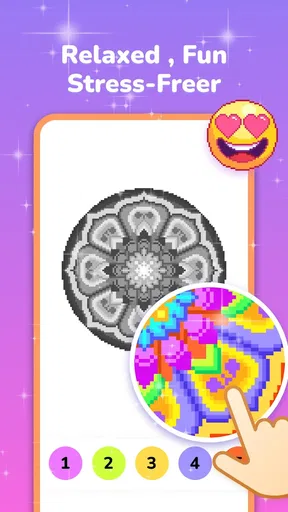
First off, let’s talk about the concept. Pixel Coloring-Color by Number is a pretty straightforward app. You get a picture made up of tiny squares, each labeled with a number. Your job? Fill in those squares with the corresponding colors. It’s like a paint-by-number, but for your phone. Simple, right? But don’t let that fool you into thinking it’s not engaging.
What I love about this app is how it merges art and relaxation. You’re not just coloring; you’re unwinding. It feels a bit like meditation, but without the need to sit still and focus on your breathing. You can just let your mind wander while you tap away at the screen.
Exploring the Features
The app comes with a variety of features that make it super user-friendly. For starters, the interface is really clean and easy to navigate. You don't need to be a tech whiz to figure this out. Everything is laid out clearly, which is great for those days when you just want to dive into coloring without fussing over complicated menus.
There’s a wide selection of images to choose from, ranging from simple designs to more complex ones. Whether you’re in the mood for something quick and easy or a project you can work on over time, there’s something for everyone. Plus, the app updates regularly with new images, so you don’t have to worry about running out of things to color.
One feature that really stood out to me was the ability to share your completed works. Once you’ve finished a piece, you can easily share it on social media or with friends. It’s a nice touch that adds a bit of community feel to the app. You’re not just coloring for yourself; you’re creating something you can share with the world.
Perfect for All Ages
Don’t think this app is just for kids. Sure, it’s family-friendly, but it’s also a great stress-reliever for adults. On those hectic days when everything feels overwhelming, spending a few minutes coloring can really help you unwind. Plus, it’s portable. Whether you’re on a long commute or just lounging at home, you can pull out your phone and get lost in a world of color.
Kids will love it, too. It’s a great way to keep them engaged without resorting to mindless screen time. They’re not just playing; they’re also developing their fine motor skills and learning about colors and numbers. It’s educational, but in a sneaky, fun way.
Getting Started with the App
Setting up the app is a breeze. You can download it from the App Store or Google Play, and it’s free to start. There are in-app purchases available if you want to unlock more features or images, but you can enjoy plenty without spending a dime.
Once it’s downloaded, you just pick an image and start coloring. The app guides you through the process, highlighting which areas to fill in. You don’t need to worry about making mistakes. If you tap the wrong square, it simply won’t fill. This makes it super forgiving and perfect for all skill levels.
What to expect from access and purchases
The game is free to download, which makes it easy to try before deciding whether it earns a place on your phone. It is made by Coloring Game Studio@RabiGame, has an Everyone content rating, and is listed as a board game. It has a 4.5 average from around 4.5 thousand ratings, with roughly 319 written reviews and over a million installs. Those figures suggest that the simple format has found an audience, though they cannot tell you whether its pacing will suit your own taste.
There are optional in-app purchases, with items ranging from $0.99 to $69.99. I would treat those as a reason to check the purchase details before tapping through any offer, especially if a child will use the device. You do not need to spend immediately to understand the central coloring loop, and I would first see whether the available pictures and pace hold my interest. Anyone looking for a completely purchase-free experience should be comfortable ignoring optional offers rather than assuming every extra is included.
The current version is 1.42.22, and it runs on Android 6.0 or later. If you are choosing it for an older phone or tablet, checking the device’s operating system before downloading is a practical first step. The game is free, but device compatibility and the optional purchases are separate considerations; neither changes the fact that the core appeal is a calm number-and-color routine.
When it is the right pick—and when it is not
I would recommend it to someone who likes visual puzzles but does not want pressure, timers, or a competitive goal. It can also suit a parent looking for a simple shared activity: an adult can help a younger player find the numbered areas, then let the child make the taps. For adults, it is a modest way to occupy a short idle stretch, not a replacement for a more absorbing hobby or a promise of meaningful stress relief.
I would skip it if the satisfaction you want comes from inventing an image, mixing colors, or making each mark your own. The numbered structure narrows those choices by design. I would also look elsewhere if I wanted strategic decisions and interaction with other players, since those are the pleasures of many conventional board games and are not what this coloring format is built around. A freehand drawing app or a physical puzzle may be more rewarding in those situations.
For a first session, I would pick a picture that looks manageable, try the basic coloring rhythm, and see whether filling the cells feels soothing or like repetitive tapping. That quick test answers the most important question better than the rating does: do I enjoy this particular kind of small, guided progress? If I do, I can return to a more involved picture later; if not, there is little reason to force it.
Final Thoughts
Overall, Pixel Coloring-Color by Number is a delightful app that offers both relaxation and creativity. Whether you’re looking to unwind after a long day or keep your kids entertained, this app has you covered. It’s simple yet engaging, and the ability to share your creations adds a nice social element. If you’re in the market for a new hobby or just need a break from reality, give this app a try. You might just find it’s your new favorite way to chill.
My recommendation is narrower than that enthusiastic first impression: try it if a guided, low-stakes coloring activity sounds appealing, and judge it by whether the repetition feels comforting to you. The game’s clearest strength is its approachability; its clearest limitation is that the numbered template leaves little room for personal design decisions. For the right person, that makes it an easy companion for spare moments. For someone seeking a full creative toolkit or a demanding board-game challenge, another option will be a better use of their time.
Pros
- Simple and intuitive interface.
- Wide variety of coloring pages.
- Regular updates with new designs.
- Relaxing and stress-relieving.
- Offline mode available.
Cons
- Contains in-app purchases.
- Ads can be intrusive.
- No custom color options.
- Limited free content.
- Requires frequent updates.
FAQs for Pixel Coloring-Color by number
What is Pixel Coloring - Color by Number?
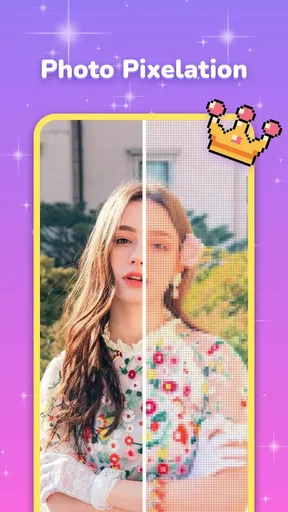
Pixel Coloring - Color by Number is a digital coloring app that transforms images into pixel grids, allowing users to color them by matching numbers to colors. It's a creative and relaxing activity suitable for all ages, offering a wide variety of images to choose from, ranging from simple designs to intricate patterns.
How does the app work?
The app assigns a number to each color and users match these numbers to the corresponding sections in the pixel grid. It's a straightforward process that involves selecting a color and tapping on the corresponding numbered cells to fill them in, gradually revealing the complete picture.
Is Pixel Coloring - Color by Number free to use?
The app is free to download and offers a range of free images to color. However, it also includes in-app purchases and subscription options that provide access to premium features, such as exclusive image packs, an ad-free experience, and more advanced tools.
What are the key features of the app?
Key features include a vast library of images, user-friendly interface, daily new pictures, and the ability to share your creations on social media. Additionally, it offers tools like zooming and hints to enhance the coloring experience, making it enjoyable for both beginners and experienced users.
Is the app suitable for children?
Yes, Pixel Coloring - Color by Number is suitable for children as it provides a simple, educational, and entertaining experience. The app can help improve children's focus, number recognition, and fine motor skills. Parental controls can be used to manage in-app purchases and ensure a safe experience.


